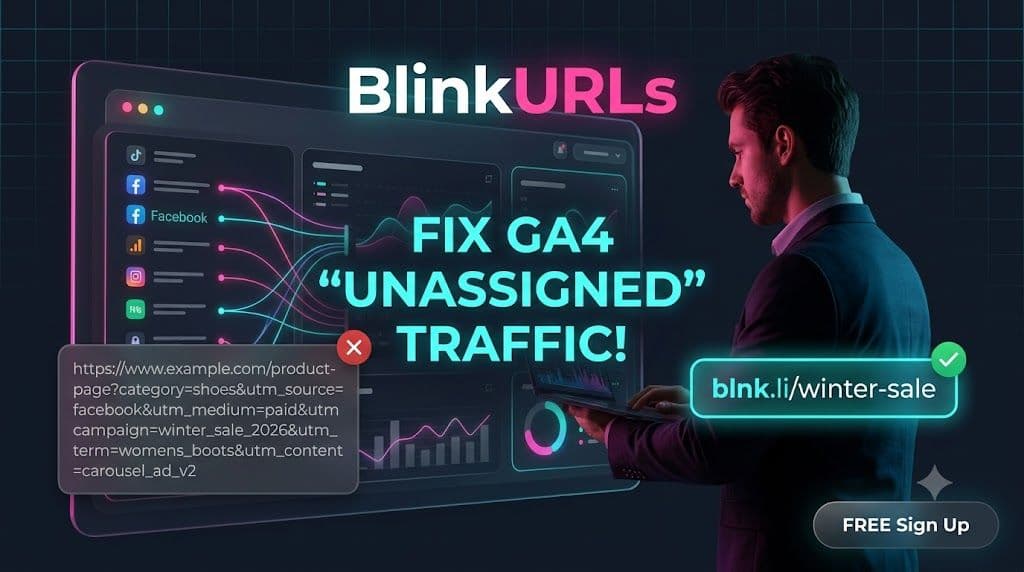
Are your Google Analytics 4 (GA4) reports plagued by a mysterious surge of 'Unassigned' traffic? It's a common, frustrating scenario for marketers: valuable campaign efforts seemingly vanish into a data black hole, making accurate ROI measurement nearly impossible. This 'Unassigned' category isn't just an annoyance; it's a critical blind spot preventing you from truly understanding where your conversions come from and optimizing your marketing spend. The solution, often overlooked yet surprisingly powerful, lies in mastering your tracking parameters with a robust utm link generator.
Ignoring 'Unassigned' traffic is akin to throwing marketing budget into the wind. Without precise attribution, you can't tell which campaigns are thriving and which are merely burning cash. This article will expose the core reason behind your GA4's 'Unassigned' problem and provide a proven 'secret hack' to fix it. You'll learn how to meticulously craft tracking URLs, leverage an efficient campaign url builder, and combine these efforts with branded short links to transform your analytics from a guessing game into a clear, actionable roadmap. Get ready to reclaim your data, optimize every click, and finally see the true impact of your marketing.
Unmasking the Mystery: Why 'Unassigned' Traffic Appears in GA4
In Google Analytics 4, 'Unassigned' traffic typically signals that GA4 couldn't determine the source, medium, or campaign for incoming visits. This usually happens when your website receives traffic from links that lack proper UTM parameters, or when those parameters are malformed. Unlike previous versions of Google Analytics which might have defaulted to 'Direct' or 'Referral' for ambiguous traffic, GA4 is more explicit, lumping unidentifiable sources into 'Unassigned'.
Consider a user clicking a link from an email newsletter. If that link isn't correctly tagged with `utm_source=email`, `utm_medium=newsletter`, and `utm_campaign=spring_sale`, GA4 has no context. It knows someone arrived, but not how or why. This becomes particularly problematic with social media posts, paid ads, or influencer collaborations where specific performance metrics are crucial. Each piece of 'Unassigned' traffic represents a missed opportunity for valuable insight, distorting your perception of campaign effectiveness and hindering data-driven decisions.
The Anatomy of a Perfect UTM Link: Essential Parameters Explained
To combat 'Unassigned' traffic effectively, you need to understand and consistently apply the five core UTM parameters. These are the building blocks of precise campaign tracking, and using a reliable utm builder is key to getting them right every time.
utm_source(Required): Identifies the origin of your traffic. Examples:google,facebook,newsletter,bing. Always make this specific.utm_medium(Required): Describes the mechanism or channel used to deliver the link. Examples:cpc(cost-per-click),organic,email,social,referral. This helps categorize your traffic channels.utm_campaign(Required): Specifies the specific promotion or strategic campaign. Examples:summer_sale_2026,brand_awareness_q3,new_product_launch. This links traffic back to your marketing initiatives.utm_term(Optional): Used to identify paid search keywords. Examples:digital+marketing+tools,best+seo+software. Primarily for linking to your keyword strategy.utm_content(Optional): Differentiates similar content or links within the same ad or promotion. Examples:banner_v1,textlink_sidebar,button_cta. Useful for A/B testing or fine-tuning creative elements.
Missing or incorrectly formatted required parameters are the primary culprits behind 'Unassigned' traffic. Consistent, accurate tagging ensures every click contributes to a richer, more detailed GA4 report.
Your Secret Weapon: The Free UTM Link Generator from BlinkURLs
Manually constructing UTM links is not only tedious but highly prone to errors – a single typo can render your tracking useless. This is where a dedicated free utm tracking link generator becomes indispensable. For digital marketers seeking precision and efficiency, the BlinkURLs UTM Builder tool is a game-changer. It streamlines the entire process, ensuring every parameter is correctly formatted and appended to your URLs.
Using the BlinkURLs free UTM Builder is incredibly straightforward:
- Navigate to the BlinkURLs website and find the UTM Builder tool.
- Enter your destination URL (the page you want visitors to land on).
- Fill in the required fields:
utm_source,utm_medium, andutm_campaign. - Optionally, add
utm_termandutm_contentfor more granular tracking, especially important for advanced analysis and segmentation. - The tool will instantly generate your fully compliant UTM-tagged URL.
This automated approach prevents common mistakes like incorrect capitalization, missing required fields, or special character issues that can corrupt your tracking data. By integrating a reliable utm code generator like BlinkURLs into your workflow, you dramatically reduce the chances of sending 'Unassigned' traffic to your GA4 property.
The Secret Sauce: UTMs + Branded Short Links for Maximum Impact
While UTM parameters are essential for tracking, they often result in long, unsightly, and intimidating URLs. Imagine sharing a lengthy, parameter-heavy link on social media or in a print ad – it looks spammy and can deter clicks. This is where the synergy of UTM tracking and branded short links truly shines. Combining a powerful utm link generator with a robust link shortener like BlinkURLs offers the best of both worlds: granular tracking data with clean, trustworthy, and clickable links.
Here’s how it works: first, use the BlinkURLs UTM Builder to create your perfectly tagged long URL. Then, simply paste this long URL into the BlinkURLs link shortener to transform it into a concise, branded link (e.g., `blnk.li/spring-sale`). This short link still carries all the valuable UTM data; it's just hidden behind a cleaner facade. The user sees a trustworthy, easy-to-remember link, while your GA4 captures all the detailed attribution information.
Raw Long UTM Link vs. Clean Branded Short Link
| Feature | Raw Long UTM Link | Clean Branded Short Link (via BlinkURLs) |
|---|---|---|
| Appearance | Long, complex, full of parameters | Short, neat, professional |
| Clickability | Potentially intimidating, lower CTR | Inviting, higher CTR due to trust |
| Memorability | Difficult to recall or type | Easy to remember and share |
| Brand Reinforcement | None (generic domain) | Reinforces your brand (e.g., blnk.li/yourbrand) |
| Data Integrity | Excellent | Excellent (UTMs preserved) |
| Error Proneness | High for manual creation | Low with automated builder + shortener |
| Analytics Impact | Full GA4 data, but ugly | Full GA4 data, with user-friendly links |
This approach addresses both the technical need for precise tracking and the user experience need for appealing, clickable links. It's a fundamental part of the best utm builder for digital marketers strategy in 2026.
UTM Parameter Best Practices 2026: Beyond Just Building Links
Building UTM links is just the first step. To truly optimize your campaign tracking and prevent 'Unassigned' data in GA4, adherence to best practices is paramount. These guidelines, crucial for any digital marketer, ensure your data remains consistent, accurate, and actionable.
- Establish a Naming Convention: This is perhaps the most critical practice. Decide on consistent naming for your sources, mediums, and campaigns (e.g., always use lowercase, hyphens instead of spaces, specific abbreviations). For example, stick to
facebook_ads, notFacebookAdsorfb-ads. Inconsistent naming creates fragmented data. - Be Specific and Descriptive: Generic terms provide little insight. Instead of
social, useinstagram_storyorlinkedin_post. For campaigns, useq1_promo_2026rather than justpromo. - Document Your Conventions: Keep a shared document (spreadsheet, wiki) that outlines all your UTM naming conventions. This is vital for teams to maintain consistency, especially with different marketers or agencies involved.
- Test Your Links: Before launching any campaign, always test your UTM-tagged URLs. Click the link and check your real-time GA4 reports to ensure the parameters are being registered correctly. This catches errors before they impact live data.
- Avoid Tagging Internal Links: Only use UTMs for external links pointing to your site. Tagging internal links can overwrite valuable attribution data from external sources and muddy your analytics.
- Monitor and Audit Regularly: Periodically review your GA4 acquisition reports. Look for anomalies, unexpected 'Unassigned' spikes, or inconsistencies in your UTM data. Adjust your practices as needed.
Following these utm parameter best practices 2026 will significantly enhance the quality of your GA4 data, allowing for clearer insights and more effective marketing decisions. The combination of a strong process and a reliable utm link generator like BlinkURLs is unbeatable.
Unlocking Deeper Insights with Your Tracked Data
Once you’ve successfully implemented robust UTM tracking, the real magic happens in Google Analytics 4. You can now access rich, granular data that helps you understand customer journeys and optimize performance.
In GA4, navigate to Reports > Acquisition > Traffic acquisition. Here, you'll see your traffic broken down by various dimensions, including the default channel grouping, but more importantly, you can switch to view data by Source, Medium, Campaign, Source/Medium, and even First user medium/source. Your carefully crafted UTMs will populate these reports, allowing you to answer critical questions:
- Which specific Facebook ad creative (
utm_content) generated the most sign-ups? - Is your email newsletter (
utm_medium=email,utm_source=newsletter) delivering better ROI than your paid search efforts (utm_medium=cpc)? - How are different influencer campaigns (
utm_campaign) performing against each other?
Beyond basic reporting, you can create custom explorations in GA4 to visualize specific funnels or segments based on your UTM data. This advanced analysis helps identify high-performing segments, pinpoint bottlenecks, and refine future marketing strategies for maximum impact. The consistent use of a campaign url builder ensures this data is reliable.
The 'Secret Hack' Revealed: Consistent UTMs & Branded Short Links
The 'secret hack' isn't a complex algorithm or a hidden setting in GA4; it's the disciplined, systematic application of precise UTM parameters generated by a reliable utm link generator, seamlessly integrated with the power of branded short links. This dual strategy eradicates 'Unassigned' traffic by ensuring every click is attributed, while simultaneously enhancing click-through rates and reinforcing your brand identity across all touchpoints. No more guesswork, no more data voids – just clear, actionable insights fueling smarter marketing decisions.
Beyond Attribution: The Strategic Advantage of Clean Data
The benefits of fixing 'Unassigned' traffic extend far beyond just cleaner reports. By consistently applying the strategies outlined here, you unlock a profound strategic advantage. Imagine being able to definitively answer: "Which specific ad variant on TikTok led to the most high-value leads?" or "Is our latest email segmentation performing better than last month's, down to the exact call-to-action?" With perfect UTM hygiene, these aren't hypothetical questions; they are verifiable data points guiding your optimization efforts. This level of granularity empowers you to: * **Optimize Spend:** Allocate budget to the channels, campaigns, and creatives that deliver the highest ROI. No more funding underperforming initiatives due to obscured data. * **Refine Audience Targeting:** Understand which specific campaigns resonate with particular audience segments, allowing for more precise future targeting. * **Improve Content Strategy:** Pinpoint which content pieces and messaging drive engagement and conversions, informing your content creation pipeline. * **Enhance User Experience:** Identify referral paths and campaign journeys that lead to frictionless conversions, and replicate those successes. * **Gain Competitive Edge:** While competitors struggle with murky 'Unassigned' data, you'll be operating with crystal-clear visibility, making faster, more informed decisions that propel your growth ahead. This isn't just about data collection; it's about transforming raw information into a competitive weapon that drives sustained growth and efficiency.Future-Proofing Your Marketing with BlinkURLs
In an increasingly data-driven world, the ability to accurately track and attribute marketing performance is not just a best practice – it's a necessity. As digital advertising platforms evolve and privacy regulations tighten, having a robust, first-party tracking strategy through consistent UTMs becomes even more crucial. Relying on the default tracking of various platforms can leave gaps in your data, especially as cookies and third-party data become less reliable. By taking control of your tracking with a dedicated utm builder and link management platform, you are actively future-proofing your marketing efforts against inevitable industry shifts. The BlinkURLs platform offers more than just a free UTM Builder; it's a comprehensive link management solution. Beyond generating perfectly tagged URLs, you can track click performance of your branded short links, integrate with other marketing tools, and even run A/B tests on your link destinations – all while maintaining pristine GA4 data. This integrated approach ensures that every link you share is not just a pathway to your content, but a powerful data capture point.Reclaim Your Data, Amplify Your Impact
'Unassigned' traffic in GA4 is not an insurmountable problem; it's a solvable challenge that, once addressed, unlocks immense value for your marketing operations. By embracing a systematic approach to UTM parameter application, leveraging a powerful campaign url builder like the BlinkURLs free UTM Builder, and strategically combining this with branded short links, you can completely transform your analytics landscape. Stop letting valuable campaign data disappear into the 'Unassigned' void. Start today by implementing a consistent UTM naming convention, building all your external links with the BlinkURLs UTM Builder, and then shortening those links with BlinkURLs's branded shortener. The result will be not only pristine GA4 reports but also higher click-through rates, stronger brand recognition, and the actionable insights you need to truly maximize your marketing ROI. It’s time to move beyond guesswork and into a realm of data-driven confidence. Visit BlinkURLs now to start building smarter, cleaner, and more impactful links for all your campaigns.Generate Standardized UTM Links for GA4
Eliminate dark traffic and measure multichannel ROI. Generate clean campaign URLs and shorten them into branded links in seconds.
Reviews & Comments
Join the conversation. Share your thoughts, rate this article, and help us improve.
Reader Activity (0)
No approved reviews yet. Be the first to leave a comment!
Leave a Review
Your email address will not be published. Required fields are marked *
Deploy on High-Performance Infrastructure
Hostinger provides fast, secure, and affordable web hosting for your brand.
Sub-50ms Edge Redirects
Don't let slow links kill your conversion rate. Experience the world's fastest redirect engine.
Stay ahead of the curve
Elevate your growth alongside 5,000+ elite link scientists receiving our weekly insights on optimization and digital scale.