Understanding GA4 Dark Social Tracking and Unassigned Traffic
For any digital marketer or business owner, understanding where your traffic originates is fundamental to optimizing campaigns and allocating resources effectively. Yet, a persistent challenge in Google Analytics 4 (GA4) is accurately tracking what's known as GA4 Dark Social Tracking and resolving unassigned traffic GA4. This issue often obscures the true performance of your social media efforts, leading to critical gaps in your data.
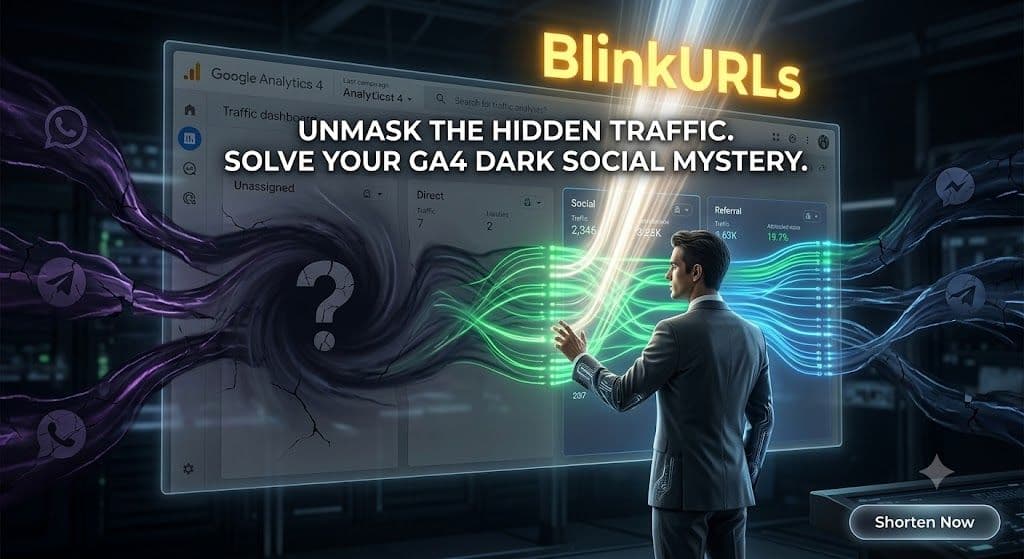
You might notice a significant portion of your traffic appearing under 'Direct' or 'Unassigned' in your GA4 acquisition reports, even when you know you're actively generating engagement on social platforms. This misclassification often stems from what we call 'Dark Social' – clicks coming from private messaging apps, email, and social groups that GA4 struggles to attribute correctly. This guide will clarify the problem and present a robust solution.
What Exactly is Dark Social and Why Does GA4 Struggle?
Dark Social refers to website referrals that don't carry referrer data, making it difficult for analytics platforms like GA4 to identify their origin. This typically occurs when users share content through private channels such as:
- WhatsApp and Telegram messages
- Facebook Messenger and Instagram DMs
- Private Facebook Groups or LinkedIn Groups
- Email clients (desktop apps)
- Native mobile apps without proper link handling
When someone clicks a link shared in one of these environments, the referrer information often gets stripped away. GA4, without this crucial data, defaults to classifying these visits as 'Direct' or, even more vaguely, 'Unassigned'. This fundamentally breaks your social media attribution model, making it impossible to gauge the ROI of content shared in these private, yet highly influential, spaces.
The Financial Impact of Broken Social Media Attribution
The consequences of unassigned traffic in GA4 extend far beyond mere data inaccuracies. For social sellers and digital marketers, this data gap translates directly into lost revenue and misinformed strategic decisions:
- Inefficient Ad Spend: If you don't know which social channels or specific posts are driving sales, you can't optimize your ad budget effectively. You might be pouring money into underperforming campaigns while neglecting highly effective 'dark social' pathways.
- Misjudged Content Performance: Content shared organically in private groups often performs exceptionally well due to the trusted nature of the recommendation. Without proper tracking, you underestimate the value of this high-quality engagement, failing to replicate successful content strategies.
- Poor Resource Allocation: Teams might be spending significant time and effort cultivating engagement in Facebook Groups or via direct messages. If GA4 shows these efforts contribute to 'Direct' traffic, their true impact is invisible, making it hard to justify continued investment.
- Missed Opportunities for Optimization: Understanding which specific messages or sharing contexts lead to conversions is crucial for iterative improvement. When traffic is unassigned, these optimization opportunities are lost.
The goal is to move beyond guesswork and achieve granular insight into every click, especially those from valuable social interactions.
Solving the Mystery: Effective Social Media Attribution with a Link Tracking Engine
The key to fixing GA4's unassigned traffic and achieving accurate Google Analytics 4 traffic source data lies in implementing a robust link tracking engine. This involves using custom links that embed all the necessary attribution information (like UTM parameters) directly into the URL, ensuring that GA4 can properly categorize every incoming click, regardless of where it originates.
Manually creating and managing these UTM-rich links for every shared piece of content across various dark social channels can be cumbersome and error-prone. This is where specialized tools become indispensable.
Introducing
BlinkURLs: Your Solution for Accurate GA4 AttributionBlinkURLs emerges as the definitive solution for digital marketers grappling with GA4 Dark Social Tracking and the frustration of unassigned traffic GA4. We offer a sophisticated yet incredibly user-friendly link tracking engine designed to automatically embed crucial attribution parameters into every link you share. This ensures that no matter where your content is clicked – be it a private WhatsApp message or a bustling Facebook Group – GA4 receives the full telemetry, accurately assigning credit to its true source.
Our platform empowers you to transform those elusive 'Direct' or 'Unassigned' entries into actionable insights, providing crystal-clear Google Analytics 4 traffic source data. By doing so, you gain the clarity needed to make informed decisions about your content strategy, ad spend, and overall digital marketing efforts, effectively stopping social media clicks from showing as dark social.
How BlinkURLs Transforms Your Social Media Attribution
At the heart of our solution are two powerful, free tools: the Free Facebook Link Tracker and our comprehensive UTM Builder.
- The Free Facebook Link Tracker: Specifically engineered to combat the complexities of Facebook's ecosystem, this tool allows you to input your destination URL and automatically generates a short, trackable link pre-configured with the optimal UTM parameters for Facebook and Messenger. This means clicks originating from private DMs, closed groups, or even internal shares within Facebook will correctly show up in GA4 as coming from Facebook, rather than 'Direct'. It's the simplest way to track organic Messenger and group links free of charge, giving you precise data on one of the largest dark social culprits.
- The UTM Builder: While the Facebook Link Tracker handles a significant portion of dark social, our versatile UTM Builder offers comprehensive control for all other channels. You can easily craft custom UTM parameters for any link – be it for WhatsApp, Telegram, email campaigns, influencer outreach, or any other platform where referrer data might be lost. This ensures every piece of content you share carries its own unique identifier, giving GA4 exactly what it needs to categorize traffic accurately. It is, by design, the best UTM builder to fix GA4 acquisition reports.
By using these tools, you're not just creating short links; you're creating intelligent links that force GA4 to attribute traffic correctly. The days of wondering "how to fix unassigned traffic in Google Analytics 4" are over.
The Power of Speed: Sub-50ms Redirection for Seamless User Experience
One common concern with link tracking engines is the potential for latency – a slight delay as a user is redirected through the tracking system. We understand that even milliseconds matter for user experience and SEO. That's why BlinkURLs is built on a lightning-fast redirection engine, engineered to process clicks and redirect users in under 50 milliseconds.
This near-instantaneous redirection is crucial for several reasons:
- Preserving User Experience: Users experience no perceptible delay between clicking your link and landing on your destination page. This reduces bounce rates and ensures a smooth, frustration-free journey.
- SEO Benefits: Search engines favor fast-loading pages and smooth navigation. A speedy redirection mechanism contributes to a positive user experience, which indirectly supports your SEO efforts.
- Comprehensive Telemetry: Despite the speed, our engine meticulously captures all available click telemetry – including the source, medium, campaign, content, and term – before seamlessly passing the user to their intended destination. This data is then sent to GA4, guaranteeing accurate social media attribution without compromise.
Our commitment to speed means you get both granular data accuracy and an optimal user experience, a win-win for any digital strategy.
Practical Applications: Where to Deploy Your BlinkURLs Links
The beauty of BlinkURLs lies in its versatility. Once you've created your trackable link, you can confidently share it across all channels prone to dark social and unassigned traffic:
- Private Messaging Apps: Share directly in WhatsApp, Telegram, Facebook Messenger, and Instagram DMs, knowing every click will be attributed correctly.
- Closed Social Groups: Post links in your private Facebook Groups, LinkedIn Groups, or Slack channels without losing valuable attribution data.
- Email Marketing: Even if your email client strips referrer data, a BlinkURLs link ensures GA4 knows the traffic came from your email campaign.
- Influencer Marketing: Provide unique, tracked links to your influencers to precisely measure their impact, even when their audience shares content privately.
- Offline Campaigns: Use QR codes linking to BlinkURLs for print materials, ensuring offline engagements translate into online attribution.
By consistently using BlinkURLs for all your shared content, you'll finally gain a complete, accurate picture of your audience's journey and the true ROI of your marketing efforts. No more guessing, no more blind spots – just clear, actionable data to drive your business forward.
Fix your GA4 attribution today using our free campaign link tools at blinkurls.com.
Shorten & Tag Up to 50 URLs in Bulk
Batch process multiple marketing campaign links at once. Apply shared tags, preserve query parameters, and export to CSV instantly.
Reviews & Comments
Join the conversation. Share your thoughts, rate this article, and help us improve.
Reader Activity (0)
No approved reviews yet. Be the first to leave a comment!
Leave a Review
Your email address will not be published. Required fields are marked *
Deploy on High-Performance Infrastructure
Hostinger provides fast, secure, and affordable web hosting for your brand.
Sub-50ms Edge Redirects
Don't let slow links kill your conversion rate. Experience the world's fastest redirect engine.
Stay ahead of the curve
Elevate your growth alongside 5,000+ elite link scientists receiving our weekly insights on optimization and digital scale.
How to Build a High-Converting Link in Bio (Without Paying Subscription Fees)
More from Marketing
View all
Stop Manual Link Shortening: Fix Hour-Long Campaign Setup Instantly (Free)
UTM Link Generator 101: How to Build, Track, and Optimize Campaign URLs for Maximum Marketing ROI (2026 Guide)