Why Your Link in Bio Is Failing (And How to Fix It)
You drive traffic to your bio link from Instagram, TikTok, or YouTube. People click. And then... nothing. No sales. No sign-ups. No engagement. Sound familiar?
The problem isn't your audience — it's your link in bio page. Most bio pages are just a pile of links with no hierarchy, no CTA, and no conversion intent. This guide will show you exactly how to create a link in bio page that converts.
What Makes a High-Converting Link in Bio Page?
Before we get into tactics, let's define what "converts" actually means. A converting bio page does one or more of these things:
- Captures email leads — grows your owned audience
- Drives product sales — turns social followers into customers
- Builds community — pushes people to your Discord, Facebook Group, or newsletter
- Books appointments — for service-based businesses
A converting bio page is focused. It doesn't try to do everything at once.
Step 1: Identify Your #1 Conversion Goal
The biggest mistake creators make is adding every possible link to their bio page. Don't. Pick one primary goal and design your page around it.
Rule of thumb: If someone lands on your bio page and has to decide between more than 3 options, they'll decide to leave.
Ask yourself: What's the single most valuable action my audience can take right now? That's your hero CTA — put it first, make it big, and make it obvious.
Step 2: Use a Visual Hierarchy That Guides the Eye
Your bio page is a funnel, not a sitemap. Structure it like this:
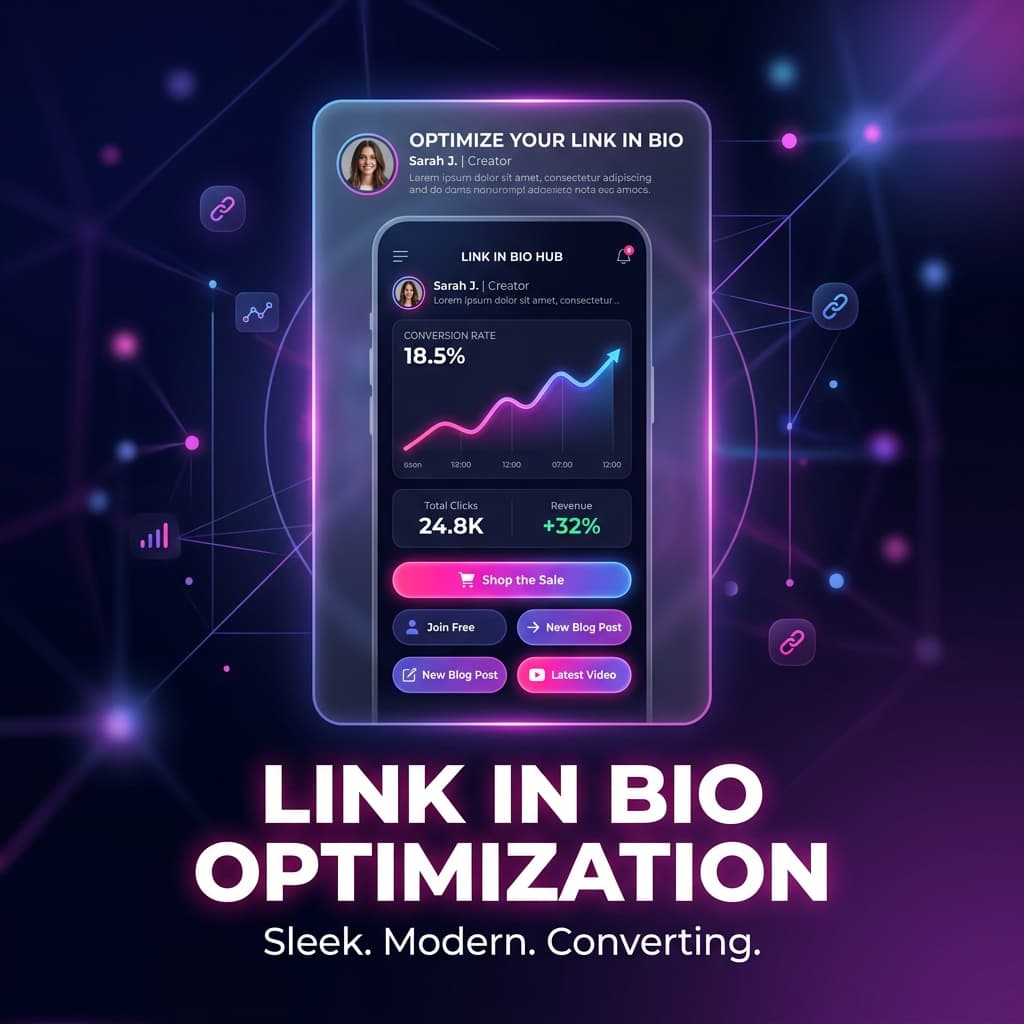
- Hero block — Profile photo, name, one-line value proposition
- Primary CTA — Your #1 conversion goal (e.g., "Shop the Sale", "Join Free", "Book a Call")
- Supporting links — 2-3 secondary destinations (YouTube, latest post, course)
- Social proof — Featured testimonial or follower count badge
- Email capture — Low-friction signup, ideally with a freebie ("Get my free guide")
With BlinkURLs Bio Pages, you can drag and drop these blocks in exactly this order. The layout does the selling for you.
Step 3: Write a CTA That Actually Converts
Generic CTAs kill conversions. Here's the difference:
| Weak CTA | Strong CTA |
|---|---|
| Click Here | Get Your Free 7-Day Trial |
| Shop Now | Shop the Summer Sale — 40% Off Today |
| Follow Me | Join 12,000 Marketers Getting Weekly Growth Tips |
| My Website | See How I Grew to 100K in 6 Months → |
The winning formula: Action + Specific Benefit + Urgency/Social Proof.
Step 4: Add Conversion Tracking to Every Link
You can't improve what you can't measure. Every link in your bio page should have UTM parameters so you know exactly which button is driving sales.
Here's a quick example. Instead of linking directly to your product page like this:
https://yourstore.com/summer-sale
Link with a tracked UTM URL built in the BlinkURLs UTM Builder:
https://yourstore.com/summer-sale?utm_source=instagram&utm_medium=bio&utm_campaign=summer2026
Then shorten it into a clean branded link. Now you'll see in Google Analytics exactly how many sales came from your Instagram bio — not just "social traffic".
Step 5: A/B Test Your Primary CTA
The best link in bio pages are never "done" — they're constantly tested. Start by testing two versions of your primary CTA button:
- Version A: Benefit-focused — "Get Free Shipping on Your First Order"
- Version B: Urgency-focused — "Summer Sale Ends Sunday — Shop Now"
Run each for 2 weeks. The one with a higher click-through rate wins and becomes your control. Repeat.
Step 6: Mobile-First, Always
Over 95% of bio link traffic comes from mobile. If your page looks great on desktop but clunky on a phone, you're losing money. Check three things:
- Buttons are at least 48px tall (easy to tap with a thumb)
- Text is readable without zooming (minimum 16px font size)
- Page loads in under 2 seconds on a 4G connection
Real Example: Before & After
A TikTok fashion creator with 180K followers had a bio page with 11 links and zero conversion structure. After rebuilding it with one hero CTA (shop link), a testimonial block, and an email capture offering a free style guide — their email list grew by 2,400 subscribers in the first month and online store sales from bio traffic increased by 61%.
The page had fewer links. But each link had a purpose.
How to Create Your Link in Bio Page with BlinkURLs
- Go to Sign up for free — no credit card needed
- Create a new Bio Page from your dashboard
- Add your profile photo, name, and one-line value prop
- Add your primary CTA button with a UTM-tracked link
- Add 2-3 supporting links and an email capture block
- Publish and share your bio link on every platform
Your link in bio should be working as hard as your content does. Build it once, optimize it weekly, and watch your conversion rate climb.
Quick Checklist: High-Converting Bio Page
- ✅ One clear primary CTA above the fold
- ✅ Benefit-driven button copy (not just "Click Here")
- ✅ UTM tracking on every link
- ✅ Mobile-optimized layout
- ✅ Social proof (follower count, testimonial, or press mention)
- ✅ Email capture with a freebie or lead magnet
- ✅ Maximum 5 links total
- ✅ Page loads under 2 seconds
Generate Standardized UTM Links for GA4
Eliminate dark traffic and measure multichannel ROI. Generate clean campaign URLs and shorten them into branded links in seconds.
Reviews & Comments
Join the conversation. Share your thoughts, rate this article, and help us improve.
Reader Activity (0)
No approved reviews yet. Be the first to leave a comment!
Leave a Review
Your email address will not be published. Required fields are marked *
Deploy on High-Performance Infrastructure
Hostinger provides fast, secure, and affordable web hosting for your brand.
Sub-50ms Edge Redirects
Don't let slow links kill your conversion rate. Experience the world's fastest redirect engine.
Stay ahead of the curve
Elevate your growth alongside 5,000+ elite link scientists receiving our weekly insights on optimization and digital scale.
The Link-in-Bio Conversion Blueprint: Turning Social Clicks into Customers
More from Marketing
View all
Stop Manual Link Shortening: Fix Hour-Long Campaign Setup Instantly (Free)
UTM Link Generator 101: How to Build, Track, and Optimize Campaign URLs for Maximum Marketing ROI (2026 Guide)