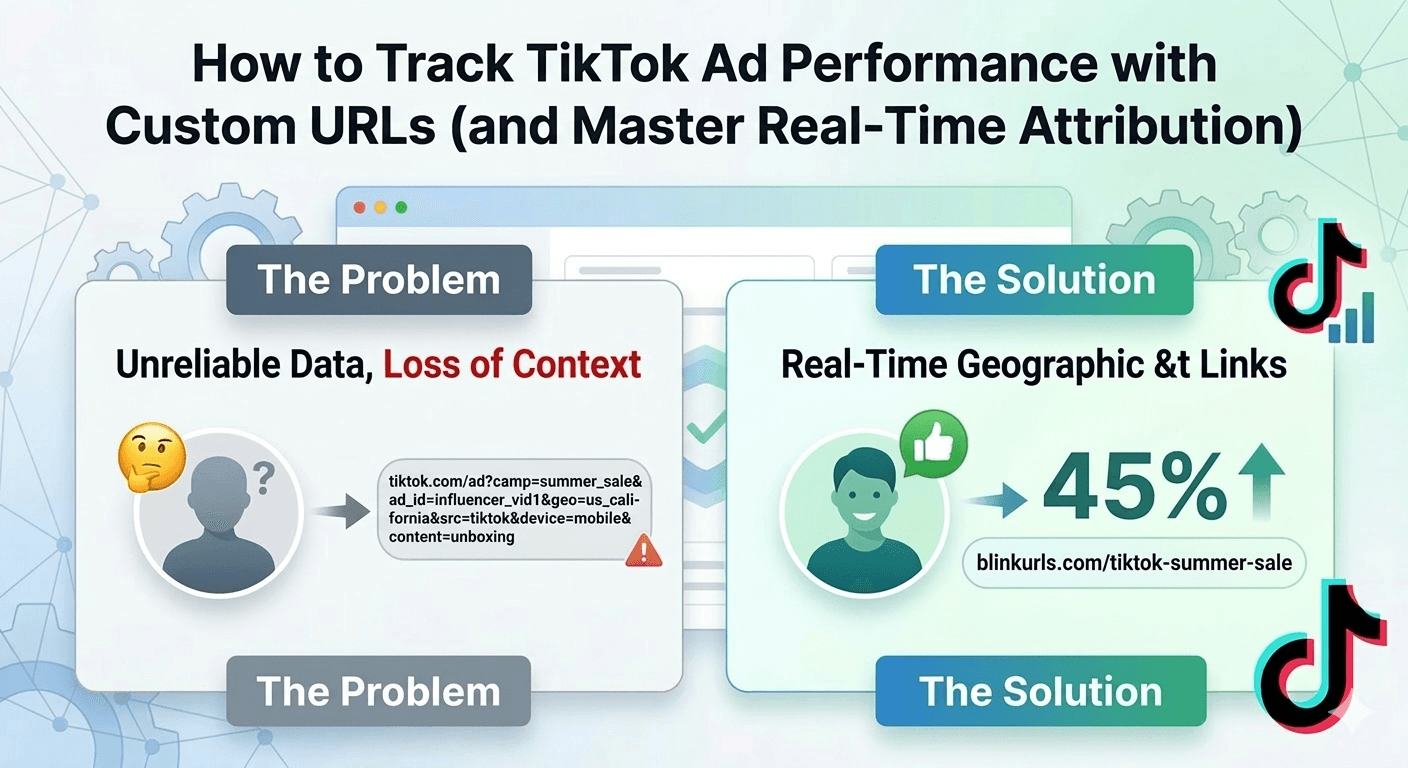
TikTok has evolved into one of the most explosive marketing engines in the digital era. However, for many performance marketers, it remains a "black box." You see the views and the engagement, but tracking exactly which video led to a conversion in your Shopify or Stripe dashboard is notoriously difficult.
Standard attribution often fails when users jump from the TikTok in-app browser to a standalone mobile browser. Here is how to close that data gap using custom, trackable URLs.
The Attribution Gap: Why Your Data is Leaking
When a user clicks a link in your TikTok bio or an ad, they are often kept within TikTok’s internal browser. If they leave the app and come back later to purchase, the "source" of that lead is frequently lost or categorized as "Direct" traffic.
Custom URLs solve this by embedding the tracking data directly into the link's DNA.
The Power of UTM Parameters in 2026
UTM (Urchin Tracking Module) parameters are the industry standard for granular tracking. By appending specific tags to your URL, you tell your analytics software (like Google Analytics 4) exactly where the user originated.
For a TikTok campaign, a strategic URL structure might look like this:
yourstore.com/?utm_source=tiktok&utm_medium=social&utm_campaign=summer_sale&utm_content=influencer_video_01
Why this matters:
- Identify Top Performers: See which specific creator or video style is actually driving revenue, not just "likes."
- A/B Testing: Compare the performance of "Educational" content versus "Trend" content in real-time.
- Budget Optimization: Stop wasting ad spend on high-view videos that have a 0% conversion rate.
Solving the "Messy Link" Problem
While UTM parameters are powerful, they are also long. A URL with full tracking can easily exceed 100 characters. On TikTok, where real estate is limited, a long URL looks cluttered, untrustworthy, and often gets truncated.
This is where BlinkURLs becomes a strategic asset. By using a short link, you wrap that 100-character tracking string into a clean, 15-character professional link. You get all the data of a long URL with the aesthetic appeal of a branded link.
Leveraging Real-Time Geographic & Device Insights
Attribution isn't just about who clicked, but where and how. In the BlinkURLs dashboard, you gain access to data that TikTok’s native analytics might delay:
Geographic Heatmaps: Are your "US-targeted" ads actually being served to the specific states or cities you need?
Device Fragmentation: See if your mobile site is converting better on iOS vs. Android—a crucial metric for optimizing your landing page speed.
Click Velocity: Monitor "spikes" in traffic immediately after a video goes viral so you can scale your server capacity or customer support.
Step-by-Step: Setting Up Your TikTok Tracking
Build Your Link: Use a UTM builder to add your source, medium, and campaign name.
Shorten & Brand: Paste that long link into BlinkURLs. Use a custom alias like
blinkurls.com/tiktok-special.Place & Test: Add the link to your bio or ad CTA. Click it once yourself to ensure the data populates in your dashboard.
Analyze & Pivot: Check your real-time analytics every 24 hours during a launch to adjust your strategy based on hard data.
Comparison: Raw UTMs vs. BlinkURLs Short Links
| Metric | Raw UTM Link | BlinkURLs Short Link |
|---|---|---|
| Visual Appeal | Messy / Suspicious | Professional / Trusted |
| Character Count | High (100+) | Los (-20) |
| Editability | Cannot change after posting | Dynamic (Change destination anytime) |
| Analytics | Requires GA4 setup | Instant, Built-in Dashboard |
Track TikTok Bio Links & Spark Ads
Track viral spikes, creator affiliate links, and in-feed video ad conversions with sub-50ms edge redirects.
Reviews & Comments
Join the conversation. Share your thoughts, rate this article, and help us improve.
Reader Activity (0)
No approved reviews yet. Be the first to leave a comment!
Leave a Review
Your email address will not be published. Required fields are marked *
Deploy on High-Performance Infrastructure
Hostinger provides fast, secure, and affordable web hosting for your brand.
Sub-50ms Edge Redirects
Don't let slow links kill your conversion rate. Experience the world's fastest redirect engine.
Stay ahead of the curve
Elevate your growth alongside 5,000+ elite link scientists receiving our weekly insights on optimization and digital scale.
The Trust Factor: Why Branded Short Links Outperform Generic URLs by 34%
More from Social Media
View all
Stop Guessing: Fix Instagram Link Tracking for Bio, Stories & Reels (Free)
Fix Broken Facebook Previews Instantly: Bypass Debugger Hassles (Free)