What is a Domain Trust Score?
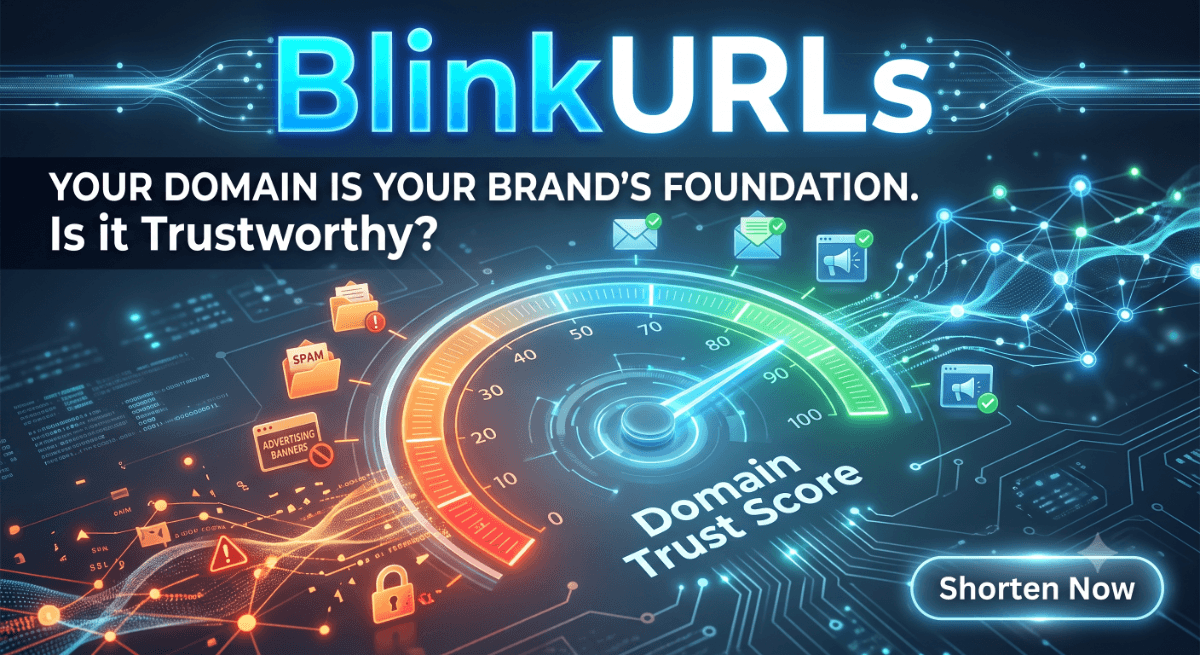
A domain trust score (also known as a website trust score) is a numeric rating from 0 to 100 that represents the overall reliability, safety, and reputation of a website. Search engines, email providers, and social ad networks use this score to decide whether to show your site, send your emails to spam, or block your advertising campaigns.
The Definition of a Domain Trust Score: A domain trust score is a quantitative measurement calculated by cross-referencing a domain against global security blacklists, validating the active SSL/TLS certificate configuration, analyzing the hosting server's IP neighborhood, and checking historical associations with spam, phishing, or malware distributions. A high score (80–100) indicates a clean, reputable domain, while a low score (below 40) suggests active blocklist flags or critical security risks.
Why Domain Trust Matters for Your Business
Your domain name is the virtual foundation of your brand. If your domain trust score drops, it can trigger severe operational issues across your entire digital marketing strategy:
- Email Deliverability: Email providers like Google Workspace, Yahoo Mail, and Outlook monitor domain reputation. If your domain is flagged on a major real-time blocklist (RBL), your transaction emails, newsletters, and sales messages will land straight in the spam folder.
- Social Media Ad Approvals: Platforms like Meta, TikTok, and LinkedIn run real-time checks on destination URLs. If you run ads to a URL with a poor domain trust score, your campaign will be rejected, and your advertising account could be permanently suspended.
- SEO and Rankings: Google rewards secure, high-quality websites. Linking to untrusted sites or hosting redirects to flagged domains tells crawlers that your website is unsafe, potentially degrading your search visibility.
- Browser Warnings: Modern web browsers will show a full-screen red warning warning users that your site is "dangerous" before they can visit it. Rebuilding trust after a user sees a security alert is incredibly difficult and expensive.
How to Check Your Domain Trust Score for Free
To check your domain trust score, you can use the free, no-signup BlinkURLs Domain Trust Checker. Here is how it works:
- Go to the Domain Trust Checker Free tool.
- Enter your domain name (e.g.,
yourbrand.com) or any full URL you want to inspect. - Click Scan Domain.
- Review your real-time trust score, blacklist status across 30+ databases (including Spamhaus, Barracuda, and Google Safe Browsing), and SSL/TLS validity.
Core Factors That Affect Your Domain Trust Score
Our security engine scans several parameters to determine the safety rating of a domain:
| Factor | Details | Impact Level |
|---|---|---|
| Active Blacklist Flags | Is the domain listed on major threat intelligence databases? | Critical (Immediate Drop) |
| SSL/TLS Certificate | Is connection encryption configured correctly and up to date? | High |
| Domain Age | How long has the domain been registered? (New domains have higher initial risk) | Medium |
| Hosting Environment | Does the domain share an IP address or server with known spam websites? | Medium |
How to Improve and Restore a Flagged Domain
If your domain trust check returns caution or high-risk flags, you must act quickly to clean your site and request removal from blacklists:
- Run a Malware Scan: Check your server files and database for malicious scripts, unauthorized redirect configurations, or suspicious administrator accounts.
- Secure Vulnerabilities: Update your content management system (WordPress, Shopify, etc.), update all active plugins, enforce strong passwords, and enable multi-factor authentication (MFA).
- Verify DNS Records: Implement proper email validation settings like SPF, DKIM, and DMARC to prevent spoofing and domain hijacking.
- Submit Delisting Requests: Once your site is verified clean, visit the specific blacklist provider that flagged your site (e.g., Google Safe Browsing Console, Spamhaus) and request a review.
To protect your site further against traffic abuse and ad spend waste, read our complete guide on how to prevent click fraud, which shares a similar focus on maintaining website safety and optimizing attribution traffic.
Ready to check your site? Analyze your reputation instantly using the BlinkURLs Domain Trust Checker today.
Audit Domain Trust & Phishing Reputation
Check any URL or domain across global real-time blocklists to verify safety, prevent phishing, and protect your ad budget.
Reviews & Comments
Join the conversation. Share your thoughts, rate this article, and help us improve.
Reader Activity (0)
No approved reviews yet. Be the first to leave a comment!
Leave a Review
Your email address will not be published. Required fields are marked *
Deploy on High-Performance Infrastructure
Hostinger provides fast, secure, and affordable web hosting for your brand.
Enterprise-Grade Security
Protect your brand with MFA, session revocation, and advanced link protection.
Stay ahead of the curve
Elevate your growth alongside 5,000+ elite link scientists receiving our weekly insights on optimization and digital scale.
Click Fraud Prevention: The Definitive Guide to Protecting PPC Ad Spend (2026)
More from Security
View all
Bypass Hidden Malware: The URL Shortener Security Loophole You Missed (2026 Guide)
Stop NSFW Links: Instantly Block Adult Content with a Brand Safety URL Shortener (Tested)