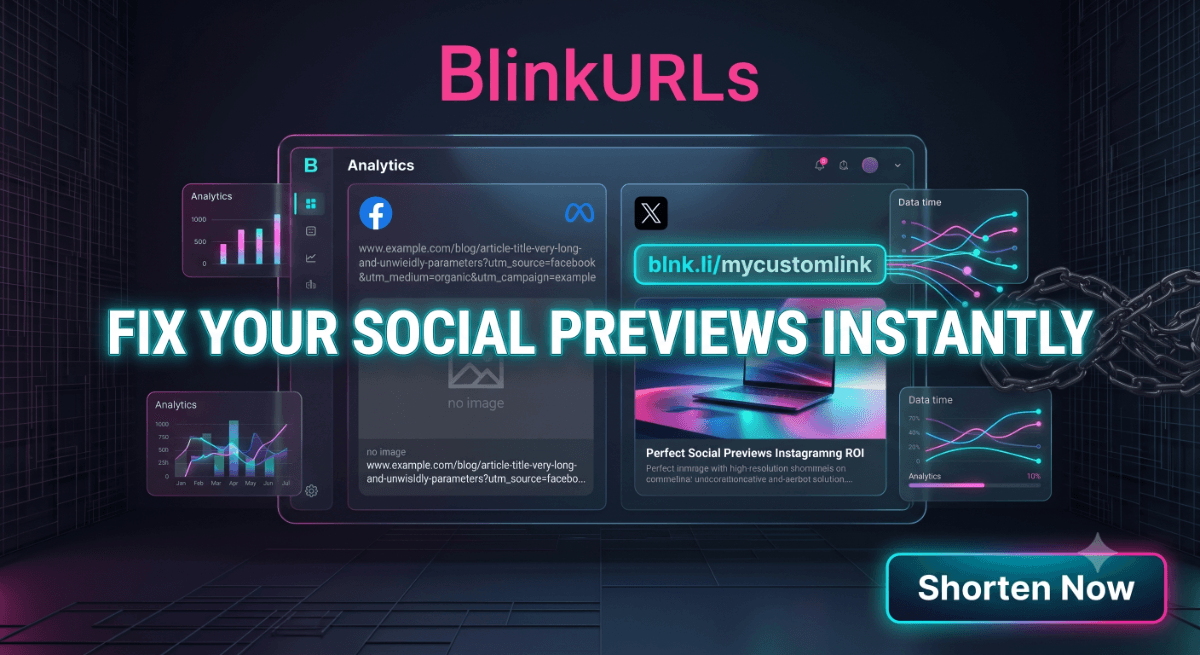
Web developers, content creators, and social media managers often face a common frustration: their carefully crafted links don't display correctly when shared on social platforms like Facebook or X (formerly Twitter). A missing image, an incorrect title, or an outdated description can severely impact engagement and click-through rates. While Meta offers its Sharing Debugger, many find it clunky, slow, or ineffective at truly clearing cached previews.
This article explores why understanding and managing Open Graph metadata is critical for social media success and introduces a powerful alternative to Facebook Debugger that streamlines the entire process: the BlinkURLs OpenGraph Link Previewer.
Understanding Open Graph Protocol and Social Previews
Before we explore debugging tools, it's essential to grasp the underlying mechanism that powers those rich social link snippets. The Open Graph protocol (OGP), initially introduced by Facebook, allows web pages to become rich objects in a social graph. Essentially, it's a set of metadata tags placed within the <head> section of your HTML that tells social platforms how to display your content when it's shared.
Key Open Graph Meta Tags:
<meta property="og:title" content="Your Page Title" />: The title of your content as it should appear in the social share.<meta property="og:description" content="A compelling summary of your content." />: A brief description of the content.<meta property="og:image" content="https://example.com/image.jpg" />: The URL of an image that will be displayed in the social share. This is often the most critical tag for visual appeal.<meta property="og:url" content="https://example.com/your-page" />: The canonical URL of your page.<meta property="og:type" content="article" />: The type of object you're sharing (e.g., article, website, video.movie).
When someone shares your URL, social platform 'scrapers' crawl your page, read these OG tags, and use them to construct the visually appealing link preview. If these tags are missing, incorrect, or inaccessible, you end up with a bland, unclickable, or even broken preview.
Why the Meta Sharing Debugger Can Fall Short
For years, the Meta Sharing Debugger has been the go-to tool for developers to diagnose issues and trigger a URL preview cache clear for Facebook. However, it often presents several challenges:
- Caching Persistence: Despite repeatedly clicking 'Scrape Again,' older, incorrect previews can sometimes persist due to aggressive caching.
- Platform Specificity: It's primarily designed for Facebook, offering limited insight into how your links will appear on other platforms like X (Twitter Cards).
- Clunky Interface: Some users find the interface less intuitive, requiring multiple steps to inspect and refresh.
- Limited Context: It shows you the raw tags but doesn't always provide a clear, side-by-side visual of the rendered preview across different social networks simultaneously.
These limitations highlight the need for a more comprehensive and user-friendly OpenGraph Link Previewer.
Introducing the BlinkURLs OpenGraph Link Previewer: Your All-in-One Solution
The BlinkURLs OpenGraph Link Previewer stands out as a robust and efficient free alternative to Facebook Debugger tool. It's designed to help you quickly diagnose, visualize, and fix broken thumbnails on Facebook shares and other platforms, ensuring your content always looks its best.
How BlinkURLs Simplifies Link Preview Debugging:
- Instant Validation: Simply paste your URL into the BlinkURLs tool. It immediately scrapes your page and displays the detected Open Graph metadata.
- Simultaneous Dual Preview: Unlike other tools, BlinkURLs provides a live, side-by-side visual preview of how your link will appear on both Facebook (Meta) and X (Twitter) timelines. This is incredibly valuable for content creators and social media managers who need consistent branding across platforms.
- Diagnostic Reports: The tool highlights any missing or incorrectly configured OG tags, giving you precise directions on what needs to be updated in your HTML to fix Facebook link preview issues.
- URL Preview Cache Clear Mechanism: While social media platforms manage their own caching, using a third-party validator like BlinkURLs often signals to platforms that your content has been updated, prompting a fresh scrape. It effectively helps you understand why is my link preview not showing on Facebook or X.
- User-Friendly Interface: Designed for clarity and speed, it eliminates the guesswork, allowing you to quickly update card image preview for social media and other metadata.
This makes BlinkURLs an indispensable link metadata validator for anyone serious about their online presence.
Troubleshooting with the BlinkURLs OpenGraph Link Previewer
Let's walk through a typical scenario to understand how you can use BlinkURLs to resolve common preview problems:
Scenario: Your Link Has a Broken Thumbnail or Incorrect Title
- Paste Your URL: Go to the BlinkURLs OpenGraph Link Previewer and paste the full URL of the page you intend to share.
- Review the Previews: Observe the Facebook and X previews. Is the image wrong? Is the title missing or outdated?
- Examine the Detected Tags: The tool will display all the Open Graph and Twitter Card tags it found (or didn't find).
- Diagnose the Problem: If the image is wrong, check the
og:imagetag. Is the URL correct? Does the image meet the platform's size requirements (e.g., minimum 200x200 pixels for Facebook, recommended 1200x630 for optimal display)? If the title is wrong, reviewog:title. - Make HTML Adjustments: Go back to your website's HTML source code and update the problematic meta tags. Ensure the image URL is absolute and publicly accessible.
- Re-test: Save your changes, then paste the URL back into BlinkURLs. You should see the updated, correct preview immediately. This iterative process helps you quickly update card image preview for social media and other critical elements.
This proactive validation is crucial, especially when working with shortened links from a service like BlinkURLs. You want to ensure the underlying destination page's OG tags are perfect before broadcasting a shortened, branded link.
Beyond Debugging: The Power of Proactive Validation
Using a reliable OpenGraph Link Previewer isn't just about fixing issues; it's about prevention. By integrating the BlinkURLs tool into your content workflow, you can:
- Prevent Engagement Loss: Ensure your links are always compelling and clickable, maximizing organic reach.
- Maintain Brand Consistency: Guarantee your brand imagery and messaging are accurately represented across all social shares.
- Save Time: Avoid the back-and-forth frustration of fixing broken previews after a post has already gone live. This is the best free Open Graph previewer and validator for efficiency.
- Optimize for Multiple Platforms: Get peace of mind that your content will look great on both Facebook and X simultaneously, without needing separate debugging tools.
Whether you're struggling with a stubborn old preview that won't update or just want to ensure your new content makes a strong first impression, having a reliable alternative to Facebook Debugger is essential.
Ready to Improve Your Social Shares?
Don't let broken or unappealing link previews hinder your online efforts. Take control of your social media presence and ensure every share counts. The BlinkURLs OpenGraph Link Previewer offers a fast, intuitive, and comprehensive solution for all your social preview validation needs.
Stop struggling with outdated debuggers and start previewing with confidence. BlinkURLs is your go-to Meta Open Graph Debugger and validator, offering instant insights into how your links appear across major social networks. Try the free OpenGraph Link Previewer today and elevate your social sharing strategy.
Track Facebook Post & Ad Clicks with 100% Precision
Stop letting Facebook traffic get lost in GA4 Direct/None. Generate clean, trackable links with custom UTMs and optional retargeting pixel injection.
Reviews & Comments
Join the conversation. Share your thoughts, rate this article, and help us improve.
Reader Activity (0)
No approved reviews yet. Be the first to leave a comment!
Leave a Review
Your email address will not be published. Required fields are marked *
Deploy on High-Performance Infrastructure
Hostinger provides fast, secure, and affordable web hosting for your brand.
Sub-50ms Edge Redirects
Don't let slow links kill your conversion rate. Experience the world's fastest redirect engine.
Stay ahead of the curve
Elevate your growth alongside 5,000+ elite link scientists receiving our weekly insights on optimization and digital scale.
A/B Split Testing for Social Ads: Optimize Spend & ROI
More from Social Media
View all
Stop Guessing: Fix Instagram Link Tracking for Bio, Stories & Reels (Free)
Fix Broken Facebook Previews Instantly: Bypass Debugger Hassles (Free)