Shortened URLs are the unsung heroes of modern marketing. They clean up cluttered social media posts, make complex URLs memorable, and preserve precious character space on platforms like SMS and Twitter (X).
However, in the digital economy, convenience often invites exploitation. For all their benefits, shortened links are now a top choice for malicious actors. They are frequently used to conceal dangerous destination sites, making them a significant vulnerability for both end-users and enterprise-level brands.
Here is a deep dive into why shortened links are a security risk and how smart users and responsible organizations can protect themselves.
1. The Threat Model: Why Attackers Love Short URLs
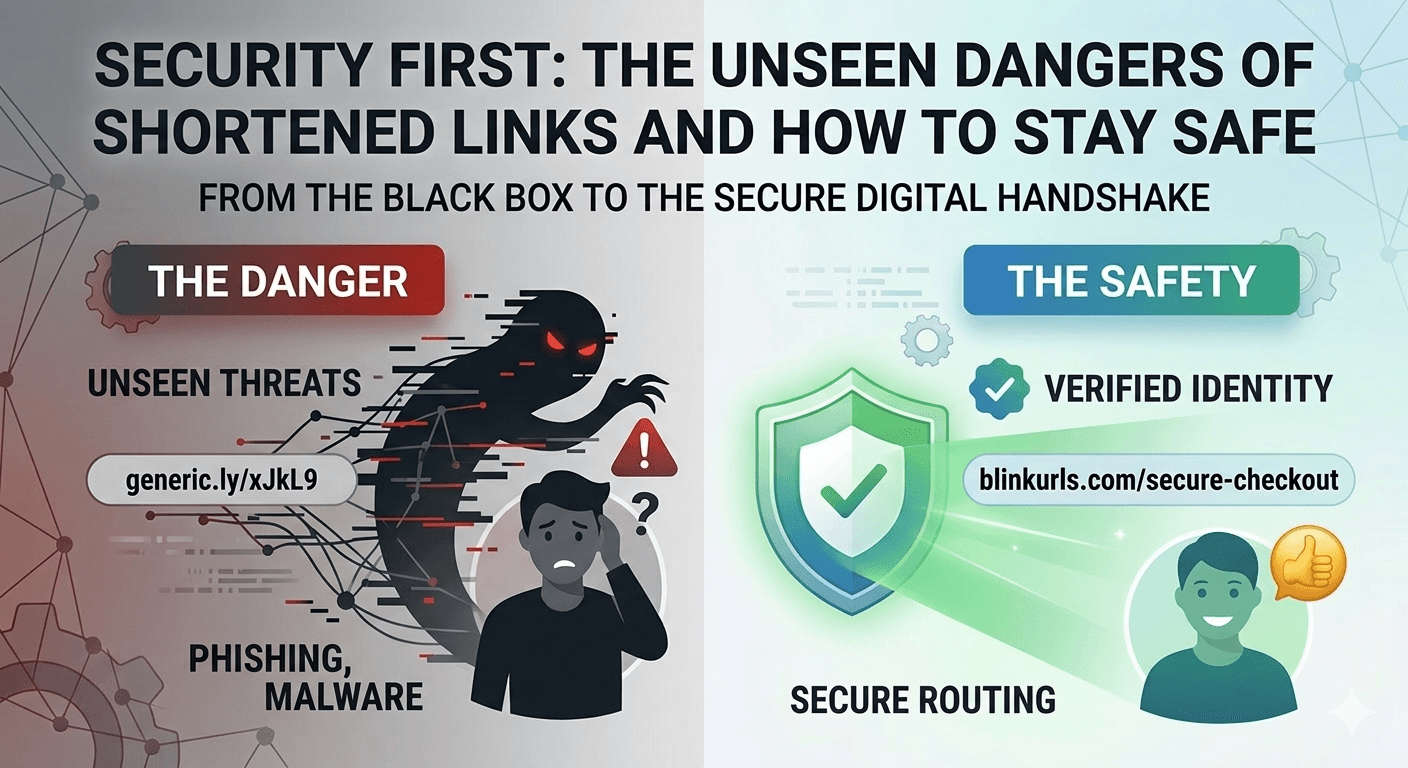
The primary danger of a standard short link—like those generated by default generic shorteners—is that they are a black box. When a user sees a link like generic.ly/xJkL9, they cannot evaluate its safety before clicking.
The Problem of Disguise
Standard browser security relies on visibility. Users are taught to "hover before they click" to inspect the destination URL. If you hover over a long URL like yourbank.com/secure-login/mfa, your browser confirms the destination. A shortened URL completely bypasses this simple verification.
This opacity allows attackers to employ sophisticated techniques:
A. Concealed Phishing Links
Phishing remains the most prevalent method of data breach. Attackers create convincing login pages that look exactly like your bank, email provider, or favorite retailer. A shortened URL is the perfect wrapper to trick victims into clicking.
B. The Malicious Redirect (Malware Delivery)
The final destination of a shortened link isn't just an image or a form; it can be an executable file. A malicious short URL can trigger a drive-by download, instantly installing spyware, ransomware, or a botnet client on a vulnerable device without the user's explicit consent.
C. Bypassing Spam and Domain Filters
Enterprise email systems and SMS gateways maintain sophisticated "denylists" of known malicious domains. Attackers create a short link using a legitimate shortener domain. Since the intermediate short URL looks safe to the automated scanner, the malicious message is delivered to the user's inbox.
2. User Defense: How to Spot a Dangerous Link Before You Click
In the digital world, skepticism is your best defense. To maintain robust security hygiene, follow these best practices before engaging with a short link:
Rule 1: Always Question the Context
The source of the link is your first red flag. Legitimate institutions rarely communicate urgent security notices via public social media DMs or unsolicited SMS. If you receive a text that says: "Your [Bank] account is locked. Verify now: generic.ly/urgent-fix," it is almost certainly a scam.
Rule 2: Force the Link to Reveal Its Secrets
You never have to click a short link blind. Use a service designed to reveal the full destination URL before your browser loads it:
Short Link Expanders: Websites like Unshorten.it or LinkExpander.com allow you to paste the suspicious short URL and instantly see its true destination without clicking it.
Browser Sandbox Mode: If you must investigate a link on a mobile device, copy it and paste it into a privacy-focused browser (like Brave, configured for maximum shield blocking) or open it inside an "Incognito" tab. This provides a minor layer of isolation.
Rule 3: Investigate the Ultimate Domain
Once you have expanded the link (using a third-party tool), look at the resulting URL.
Is the domain name slightly misspelled (e.g.,
faceb00k.cominstead offacebook.com)? This is called typosquatting.Is it a top-level domain you don't recognize (
.top,.xyz,.link)? Exercise extreme caution.
3. Brand Defense: How Responsible Organizations Protect Their Users
If your company uses short links in client communication, the burden of security falls on you. Using generic shorteners can actively train your users to click suspicious links, damaging your long-term E-E-A-T (Expertise, Authoritativeness, and Trustworthiness).
Responsible organizations must migrate to a branded link strategy.
The Anatomy of a Secure Branded Link
A branded link (or custom alias) combines your primary domain name with a context-rich "slug." It replaces the black box with transparency.
Generic (Dangerous): generic
.ly/3xJkL9Branded (Secure):
blinkurls.com/summer-sale
The Security Advantages of BlinkURLs for Brands:
| Security Feature | How it Protects Your Brand & Users |
|---|---|
| Instant Verification | The link confirms the content is from your verified domain, reducing user "click anxiety." |
| Tamper-Proof Routing | Our Edge-Native infrastructure ensures that your short links route directly from the source to the destination in under 300ms, with zero "intermediate hops" where an attacker could intercept the traffic. |
| Real-Time Geo/Device Data | The BlinkURLs dashboard provides instant data on all clicks. A sudden spike in traffic from unexpected geographic regions or outdated device operating systems can signal a coordinated bot attack or a sophisticated phishing attempt targeting your customers. |
| Domain Authority | By keeping your links on your branded domain, you reinforce your organization's authoritativeness and trust in Google’s ecosystem. |
Conclusion
In the competitive digital environment of 2026, security is not optional—it is a foundational requirement. Shortened URLs are incredibly powerful, but we must never lose sight of their inherent risks.
For users, this means practicing deliberate skepticism and using tools to expand links. For brands, it means moving away from generic, suspicious shorteners and adopting a secure, branded link strategy that prioritizes user safety and builds long-term authority.
Ready to secure your brand's digital presence? Start creating secure, branded short links with BlinkURLs today.
Audit Domain Trust & Phishing Reputation
Check any URL or domain across global real-time blocklists to verify safety, prevent phishing, and protect your ad budget.
Reviews & Comments
Join the conversation. Share your thoughts, rate this article, and help us improve.
Reader Activity (0)
No approved reviews yet. Be the first to leave a comment!
Leave a Review
Your email address will not be published. Required fields are marked *
Deploy on High-Performance Infrastructure
Hostinger provides fast, secure, and affordable web hosting for your brand.
Enterprise-Grade Security
Protect your brand with MFA, session revocation, and advanced link protection.
Stay ahead of the curve
Elevate your growth alongside 5,000+ elite link scientists receiving our weekly insights on optimization and digital scale.
From "Link in Bio" to "Sold Out": The Social Seller’s Guide to Mastering Shopee & Lazada Attribution
More from Security
View all
Bypass Hidden Malware: The URL Shortener Security Loophole You Missed (2026 Guide)
Stop NSFW Links: Instantly Block Adult Content with a Brand Safety URL Shortener (Tested)